

Our Tampa Limo Blog
Find Your Driver at Tampa Airport: Step-by-Step Guide
Table of Contents
- Before You Land: Prepare for Your Pickup
- Tampa Airport Pickup Instructions by Terminal
- How to Contact Your Airport Driver
- Airport Pickup Text Message Template
- Understanding Airport Pickup Wait Time
- Identifying Your Driver and Vehicle
- What to Do If You Cannot Find Your Driver
- Special Circumstances: Families, Accessibility, and Extra Luggage
- Frequently Asked Questions
Last Updated: October 21, 2026
Before You Land: Prepare for Your Pickup
To find your driver at Tampa airport smoothly, start preparing before your plane touches down. The key to navigating airport pickups smoothly is having the right information before you land.
Confirm your flight details with your car service at least 24 hours before arrival: flight number, airline, and expected landing time. Ask your driver to text you when they're 15 minutes from the terminal.
Save your driver's phone number, name, and your vehicle's make/model/color now, screenshot them, because when you're tired from travel you won't remember details from an old email.
Finally, know which terminal you're arriving at. Tampa International Airport has two main terminals, and your driver needs this to position correctly.
Tampa Airport Pickup Instructions by Terminal
Tampa International Airport handles arrivals across two main terminals. Each has its own pickup zones and procedures. Understanding your terminal is essential when you find your driver at Tampa airport quickly.
Terminal 1 Arrivals and Curbside Locations
Terminal 1 serves most domestic flights and some international arrivals. Exit baggage claim and follow signs for "Ground Transportation" or "Ride Pickup" to the lower level.
The curbside pickup area sits directly outside baggage claim in the covered loading zone marked with blue signs. Private car services use the designated private vehicle pickup area, separate from taxi and rideshare zones.
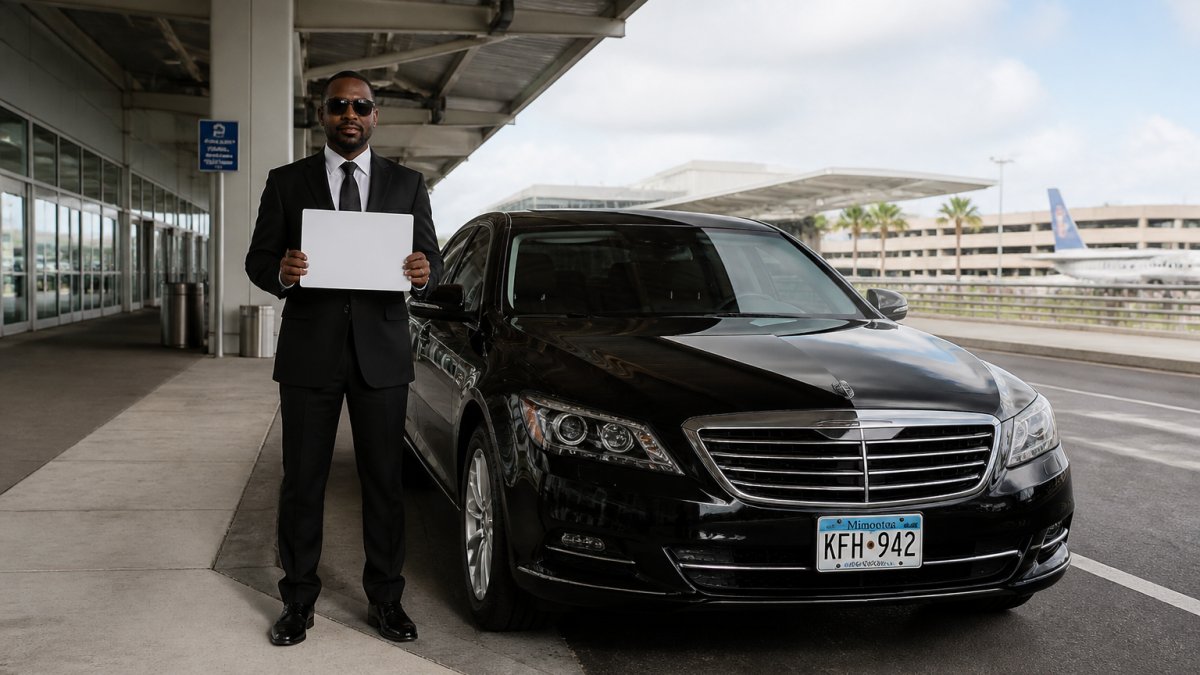
When you step outside, scan the curb for your license plate or a driver holding a name placard. Most professional drivers position near the entrance for clear sight lines.
If weather is bad or traffic is heavy, your driver may circle. Don't panic, text immediately with a specific landmark: "I'm standing outside door 3" or "I'm near the Starbucks sign."
Terminal 2 Arrivals and Curbside Locations
Terminal 2 handles overflow domestic flights and international arrivals. The layout is similar to Terminal 1 but more compact. Exit baggage claim and follow the same "Ground Transportation" signs.
The private vehicle curbside area is clearly marked and separate from taxis and rideshare. This zone is smaller than Terminal 1, so drivers position more carefully.
The same rules apply: scan for your vehicle or a placard with your name, and text your exact location if you don't see your driver immediately.
One Terminal 2 tip: the private vehicle zone fills up faster during evening arrivals. If your driver parks in the short-term lot, that's normal, they'll text you when heading to the curb.
Where Private Car Services Meet Passengers
Private car services like Prestige Black Car Service don't use the same zones as taxis or rideshare apps.
Your private driver is looking for you specifically, not for any passenger who flags them down.
The private vehicle pickup zones at both terminals are monitored by airport staff. Drivers cannot idle indefinitely. If you take 20 minutes getting through baggage claim, your driver may circle or park.
How to Contact Your Airport Driver
Knowing when and how to contact your driver can mean the difference between a smooth pickup and frustration. Most issues stem from poor communication, not poor service.
Best Time to Reach Out
Text your driver when you're 10 minutes from exiting baggage claim, not before, not after. This gives them time to position at the curb without waiting idle or circling too long.
If your flight was delayed, your car service should already know, many providers monitor flights automatically. Confirm via text anyway: "Flight delayed. Landing now. See you in 20 minutes."
Never text your driver before you land, it accomplishes nothing at 30,000 feet. Wait until wheels are down, you've collected your luggage, and you're heading toward the exit.
If you arrive early, text immediately so your driver can head to the terminal sooner. Early arrivals are easier to manage than delayed ones.
What Information to Share
Keep your messages short and specific, your driver needs actionable information, not your life story.
Include these details in your text:
- Your current location ("I'm at baggage claim")
- Which terminal you're in ("Terminal 1")
- What you're wearing ("Blue jacket, rolling luggage")
- Any special circumstances ("I have a wheelchair," "Group of four people")
Example: "Terminal 1, baggage claim, exiting now. Blue jacket. See you in 5 minutes."
That's all your driver needs. Clear, fast, actionable. They can position correctly and spot you immediately.
If you need to change your pickup location or time, contact your car service immediately, last-minute changes are harder, but professional services handle them smoothly when you communicate early.
Airport Pickup Text Message Template
Here's a template you can use or adapt. Copy it into your phone before you travel.
"Hi [Driver Name], I'm landing now. Flight [flight number] just touched down. I'll be at baggage claim in about 10 minutes. Terminal [1 or 2]. I'm wearing [color] [clothing item]. See you soon."
Adjust the details for your flight. Send this text the moment you're sure your flight has landed and you're heading to baggage claim. Your driver will know exactly what to expect and when.
If there's a delay, send a follow-up:
"Running a bit behind. Still at customs. I'll text you again in 5 minutes with an update."
If you're early:
"Landed early. I'll be at baggage claim in 5 minutes instead of 15."
These templates take the guesswork out of communication. Your driver gets clear information. You avoid confusion.
Book our black car service now! →
Understanding Airport Pickup Wait Time
Wait time at Tampa International Airport depends on several factors. Understanding them helps you manage expectations.
Your driver will typically arrive at the terminal 10-15 minutes before your expected arrival time, giving them a buffer if your flight lands early.
If your flight is on time, you should see your driver within 5 minutes of exiting baggage claim.
Peak travel times (Friday evenings, Sunday afternoons, holiday periods) can add 5-10 minutes to pickup time. The airport is busier. Drivers have to wait longer for the curb to clear.
Weather can also affect timing. Rain, thunderstorms, or accidents on the airport roads delay traffic. Your driver will text you if there's a significant delay.
Identifying Your Driver and Vehicle
Once you exit baggage claim, you need to know exactly what you're looking for. This is where most confusion happens.
Your driver will have your name, holding a placard with your last name or approaching you to introduce themselves.
Look for your vehicle's make, model, and color. You should have this information before you land.
The license plate is your final confirmation. Ask your driver to text you the license plate number before you arrive.
Your driver will be wearing professional attire. If someone approaches you and doesn't look professional, politely decline and wait for your actual driver.
Never get into a vehicle without confirming it's yours. Ask the driver their name. Ask them your name. Confirm the license plate.
What to Do If You Cannot Find Your Driver
Sometimes things go wrong. Your driver might be delayed. You might be in the wrong pickup zone. Communication breaks down. Here's how to handle it.
Check Flight Tracking and Arrival Delays
First, confirm your flight actually landed on time via the airport's website or your airline's app. If your flight was delayed significantly, your driver might still be en route, having adjusted their timing based on the delay.
If your flight was delayed more than 45 minutes, your driver may have parked in the short-term lot instead of waiting at the curb, standard practice. They'll head to the curb when you text them.
Check the time. If you've been waiting less than 10 minutes, your driver is likely still positioning or stuck in traffic. Give them time. Airport traffic moves slowly, especially during peak hours.
Verify Vehicle Identification and Driver Photo
Ask yourself: do you have the correct vehicle information? Pull up your booking confirmation on your phone and verify the vehicle make, model, color, and license plate number.
If your car service sent you a driver photo, use it. Look around the pickup zone for someone matching that photo, they might be standing near the vehicle, talking on the phone, or checking their own phone.
If you don't see your driver or vehicle after 15 minutes, move to the next step.
Contact Your Car Service Immediately
Call your car service now, don't wait, don't assume.
A professional service will respond immediately, check your driver's location in real time, and either tell you your driver is 5 minutes away or discover an issue and send another vehicle.
Be specific about your location: which terminal you're in, which exit you're near, and what you're wearing. This helps them locate you and guide your driver to you.
If there's a genuine problem, your driver had an emergency, there was an accident, something unexpected happened, a professional service will have a backup plan: another vehicle or alternative transportation.
Never leave the airport without contacting your car service first. Don't call a taxi or rideshare as a workaround without confirming your original driver isn't coming.
Special Circumstances: Families, Accessibility, and Extra Luggage
Some travelers have extra needs. Airport pickups can be more complicated with children, mobility challenges, or large amounts of luggage.
Traveling with children: Let your car service know in advance, the number of children and their approximate ages.
Extra luggage or sporting equipment: Mention this when booking.
Traveling with pets: Some car services accommodate pets, others don't.
The common thread here is communication. Tell your car service about special needs upfront. Remind your driver via text when you land.
Finding your driver at Tampa International Airport doesn't have to be stressful. With the right preparation and communication, it's a smooth, straightforward process.
At Prestige Black Car Service, we monitor your flight automatically and position our drivers to meet you efficiently. Ready to book your next airport transfer? Book our black car service now and experience the difference professional service makes.
Frequently Asked Questions
How do I find my driver after landing at Tampa airport?
After clearing baggage claim, head to the ground transportation level of your terminal. Look for your driver near the designated private car service waiting area or curbside pickup zone. Check for a name placard with your name, verify the vehicle license plate matches your confirmation, and confirm the driver's identity. If you don't see them immediately, contact your car service by phone or text with your flight number and current location.
What should I include in an airport pickup text message template?
Send a simple message with your flight number, actual landing time, and current location (e.g., 'Flight AA123 landed on time. At baggage claim now, heading to arrivals in 5 minutes'). Include your cell phone number if the driver doesn't have it, and mention any luggage or special needs. Keep it brief and factual so your driver can plan accordingly.
How long is the typical airport pickup wait time?
Most passengers clear baggage claim and reach the pickup area within 15-30 minutes of landing. If your flight is delayed, contact your driver with the updated landing time as soon as you know it. Delays or heavy luggage may extend this window.
What should I do if my driver doesn't show up at the pickup location?
First, verify your flight actually landed by checking the airport's flight status board or your airline app. Confirm your pickup time and location match your reservation. Call or text your car service immediately with your flight number and current location. Stay in a well-lit, populated area near the curbside pickup zone. Most services respond within 5-10 minutes. If there's no response, contact the main office phone number from your booking confirmation.
‹ Back
Recent Posts
-

How to Book Wedding Transportation for Guests, Step by Step
November 10, 2026
-

How to Find a Car Service Quickly When You Need One
November 9, 2026
-
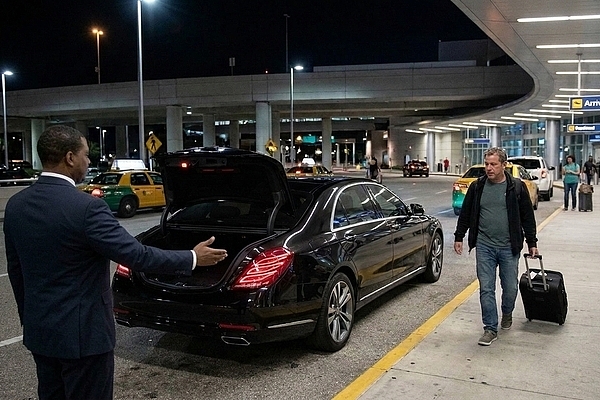
Can You Prebook Tampa Airport Transportation for Late Flights?
November 9, 2026
-
How to Manage Executive Travel Logistics in 2026
November 8, 2026
-
How to Schedule Recurring Airport Pickups Step by Step
November 7, 2026